
Customer Portal Overview
Overview
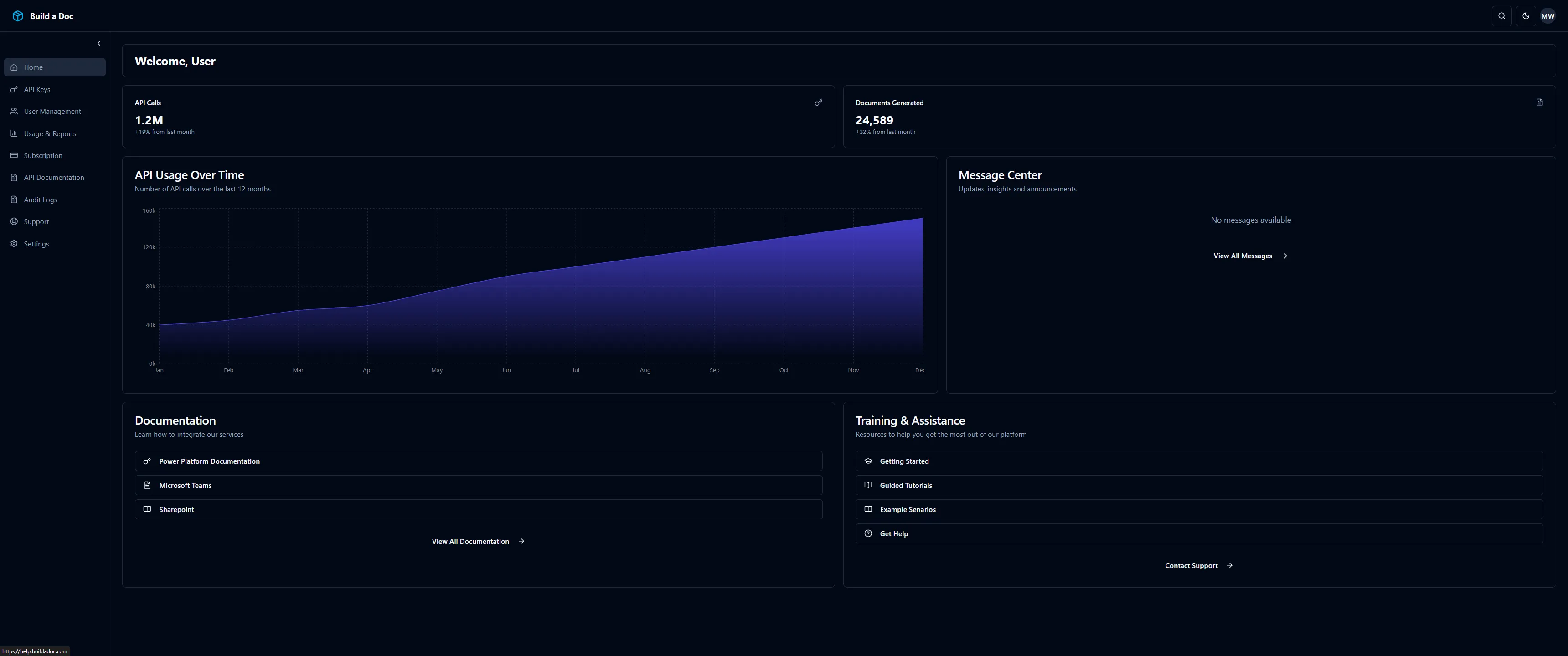
The Build a Doc Web Portal is a self-service platform for customers to manage their subscriptions, users, and API access after purchasing through the Microsoft Marketplace. It lets you securely manage access, track usage, and get help in one place.
Who It’s For
- Customers who purchased a Build a Doc plan through Microsoft AppSource or Azure Marketplace
- Organisation administrators managing users, API keys, and usage
- Developers integrating Build a Doc into other systems via API
Key Features
Subscription Activation
Activate your Build a Doc subscription after purchase from Microsoft Marketplace. See the Use the Customer Portal page for more information
Subscription Management
After purchasing from Microsoft Marketplace:
- Activation - Complete subscription setup
- Plan Details - View current plan and features
- Billing Status - Monitor payment and renewal status
- Renewal/Cancellation - Manage subscription lifecycle
API Key Management
API keys authenticate your connector requests:
| Action | Description |
|---|---|
| Generate | Create new API keys for integration |
| Revoke | Disable compromised or unused keys |
| Delete | Permanently remove keys |
Access Control
Manage team access with role-based permissions:
| Permission | Admin | Member | Viewer |
|---|---|---|---|
| View subscription details | ✅ | ✅ | ✅ |
| Change subscription plan | ✅ | ❌ | ❌ |
| Create API keys | ✅ | ✅ | ❌ |
| Revoke API keys | ✅ | ⚠️* | ❌ |
| View usage reports | ✅ | ✅ | ✅ |
| Export reports | ✅ | ✅ | ❌ |
| Invite users | ✅ | ❌ | ❌ |
| Remove users | ✅ | ❌ | ❌ |
| Change user roles | ✅ | ❌ | ❌ |
| View audit logs | ✅ | ⚠️** | ❌ |
*Member can revoke only their own API keys **Member has limited audit log access
Usage Reporting
Monitor your organisation’s Build a Doc activity:
- API call counts
- Document generation statistics
- Quota consumption
- Usage trends over time
Microsoft Marketplace Integration
Build a Doc subscriptions are purchased through:
- Microsoft AppSource - For business applications
- Azure Marketplace - For Azure-integrated solutions
The portal integrates with Microsoft’s fulfillment APIs to:
- Resolve subscription tokens
- Activate subscriptions
- Sync billing status
Support and Resources
Access help directly from the portal:
- FAQs and getting started guides
- Service status information
- Support contact options
- Documentation links