
Build a Doc Overview
Build a Doc is a versatile and robust suite of tools designed to streamline the generation, manipulation, and conversion of a wide range of document types.
What is Build a Doc?
The vision for Build a Doc is to empower users with a versatile set of tools that facilitate the effortless generation, manipulation, and conversion of documents.
Leveraging the capabilities of Microsoft Power Platform and providing our own connector and Office add-ins for template authoring, our goal is to deliver a user-friendly and scalable solution that caters to a variety of business document-related needs.
Core Capabilities
Document Generation
Build a Doc’s templating engine lets you convert template documents into fully populated output files in your preferred format. By supplying a template and its corresponding data source, it dynamically merges the data at runtime, producing documents that precisely reflect your desired structure and content.
Document Conversion
Convert documents between multiple formats including Word, PDF, HTML, Excel, PowerPoint, Visio, and OneNote.
- Convert Word Document
- Convert PDF Document
- Convert HTML
- Convert Excel Document
- Convert PowerPoint Document
- Convert Visio Document
- Convert OneNote Document
Document Merging
Merge multiple files into a single, cohesive document with rich formatting controls for fine-grained authority over the structure of the merged output.
Data Computing
Filter arrays by your chosen criteria and evaluate expressions on each element, allowing for flexible data transformations and conditional calculations.
Document Comparison
Build a Doc enables direct comparison of two Word documents, analysing their content and producing a single merged output with all changes clearly identified. This makes it easy to review revisions, track differences, and validate edits without leaving the final document.
Presentation Formatting
Apply updated master slide themes across entire PowerPoint presentations using Build a Doc. This allows you to enforce consistent, organisation-wide formatting in one operation, removing the need for time-consuming, manual slide updates.
PDF Data Extraction and Updates
Build a Doc provides programmatic access to a PDF’s embedded data. You can extract interactive form field values and XMP/document metadata as structured JSON, making it straightforward to inspect and integrate PDF data into automated workflows.
You can also update form fields and metadata within a PDF and retrieve the modified file, enabling automated form population and metadata management as part of a broader document process.
Chart Rendering
Build a Doc can identify a specific chart within an Excel workbook and export it as a PDF or image. This allows you to reuse up-to-date charts in reports and documents without manual exporting or reformatting.
Using the Product with Power Platform
Build a Doc integrates seamlessly with Microsoft Power Platform through a custom connector available in Power Automate and Power Apps.
Key Integration Features
- Custom Connector: Access Build a Doc actions directly within Power Automate flows
- Data Source Flexibility: Accept data from SharePoint, Dataverse, HTTP requests, and more
- Multiple Output Formats: Generate PDF, Word, HTML, and image formats
- Template-Based Generation: Use Word, Excel, or HTML templates with dynamic data binding
Managing Your Account with the Customer Portal
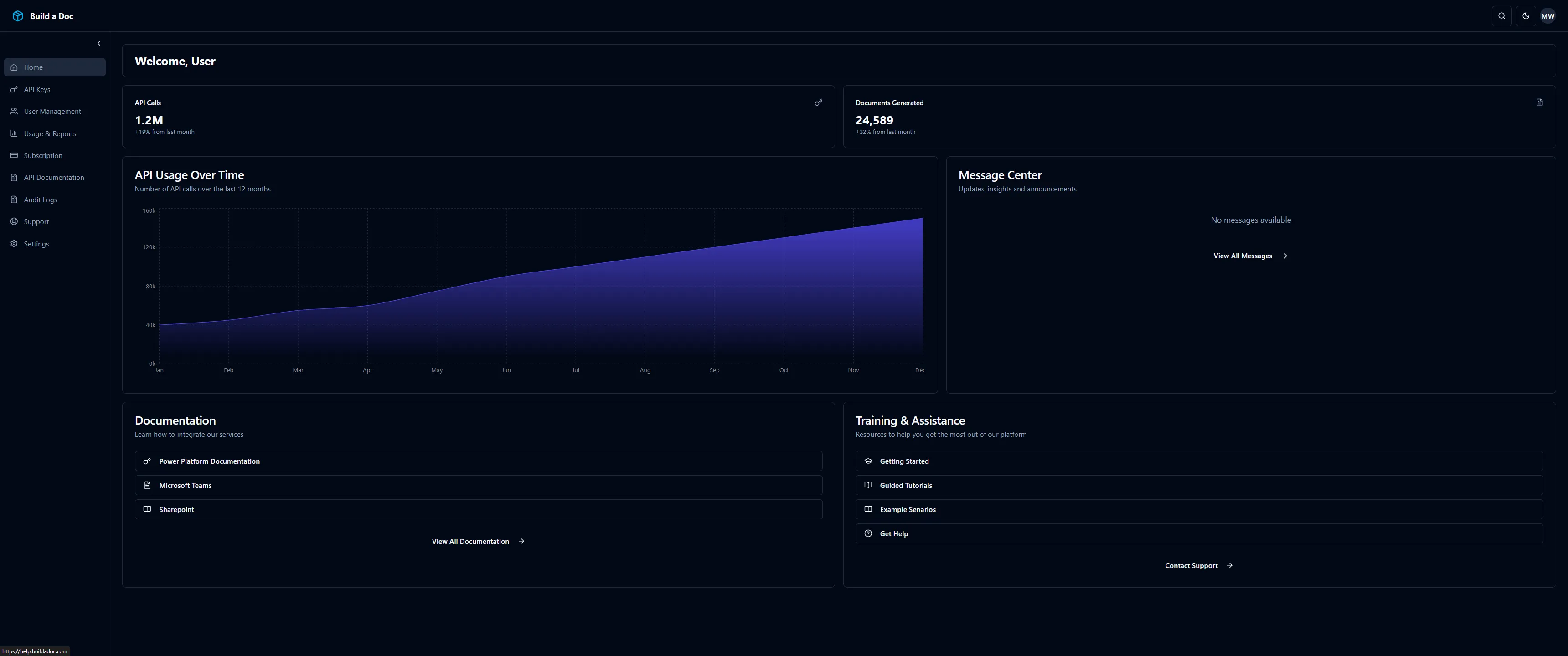
The Build a Doc Web Portal is a self-service platform for customers to manage their subscriptions, users, and API access. It simplifies administration of your Build a Doc service purchased through the Microsoft Marketplace, allowing you to securely manage access, track usage, and get help when needed, all in one place.
Portal Capabilities
- Subscription Management: Activate, manage, and monitor your Build a Doc subscription
- API Key Management: Generate, revoke, or delete API keys for integration
- Access Control: Invite team members and assign roles (Admin, Member, Viewer)
- Usage Reporting: View API usage statistics and monitor organisation activity
- Support Access: Access help documentation and contact support